Nullify
Network-aware access control for Google Workspace Business tenants, built on Cloudflare Workers.
Google Workspace Business editions trust any sign-in with valid credentials, wherever it comes from. Blocking sign-ins by network or location is an Enterprise feature. Nullify closes that gap for Business tenants. It watches sign-in events as they happen, and when a login comes from a network that isn't allowed, it signs the user out and revokes their app access. It runs on Cloudflare Workers and D1, fed by the customer's own Google Cloud log pipeline.
Architecture
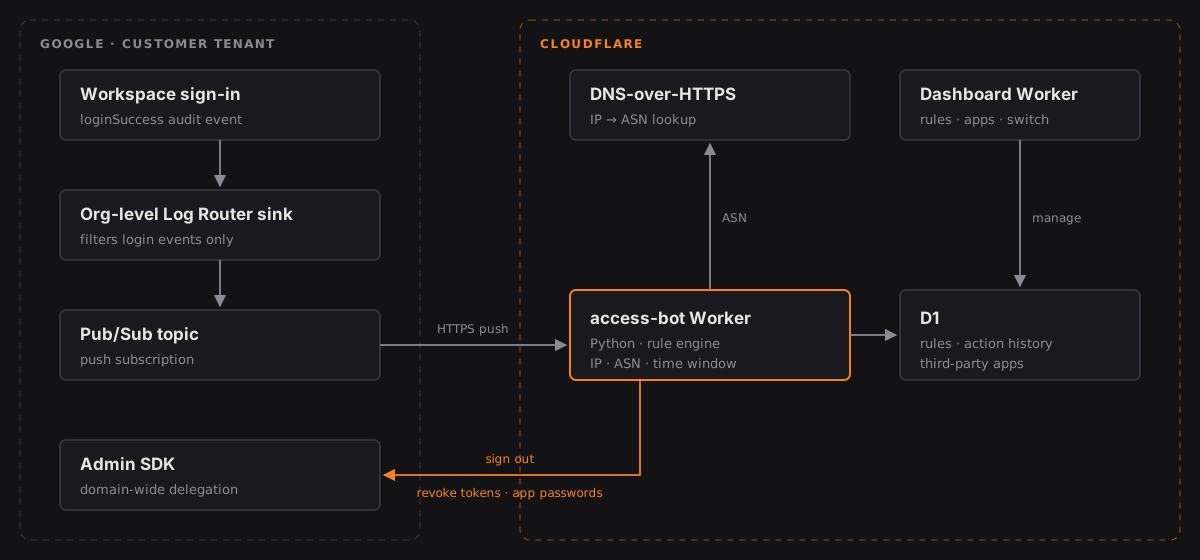
How a login is judged
- Ingest. An org-level Log Router sink filters Workspace login-success audit events into a Pub/Sub topic, and a push subscription delivers each one to the Worker.
- Authenticate. The webhook rejects any push that doesn't carry the shared secret.
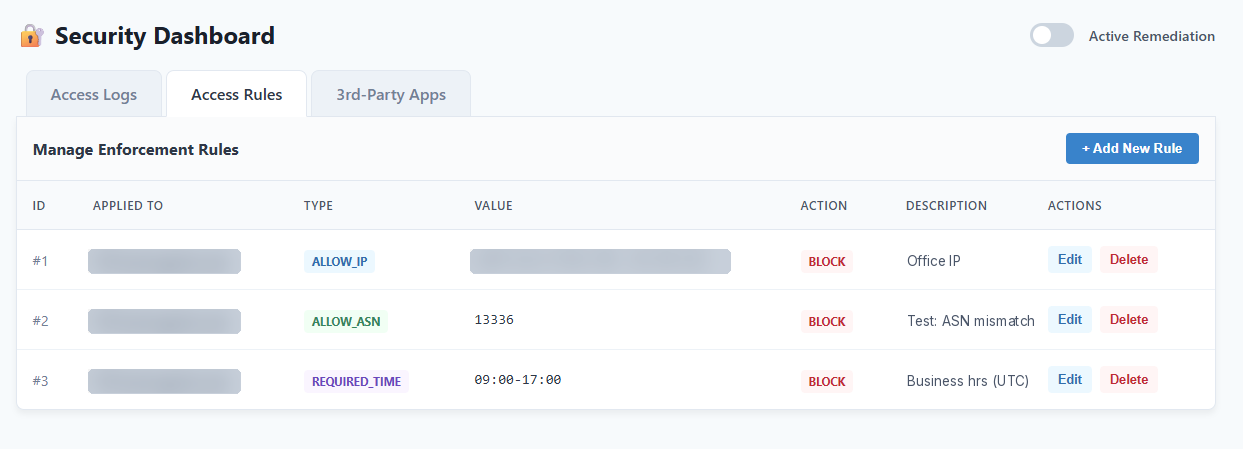
- Evaluate. The Worker pulls the user and source IP from the audit record and checks rules in D1. A rule can target one user or a whole domain: an IPv4 or IPv6 CIDR, an ASN (resolved through Team Cymru's DNS service over Cloudflare DNS-over-HTTPS), or an allowed time window.
- Remediate. If the login breaks the rules and enforcement is on, the Worker calls the Admin SDK to sign the user out of every web session, revoke third-party OAuth tokens (except allow-listed apps), and revoke app-specific passwords, which would otherwise get around a sign-out.
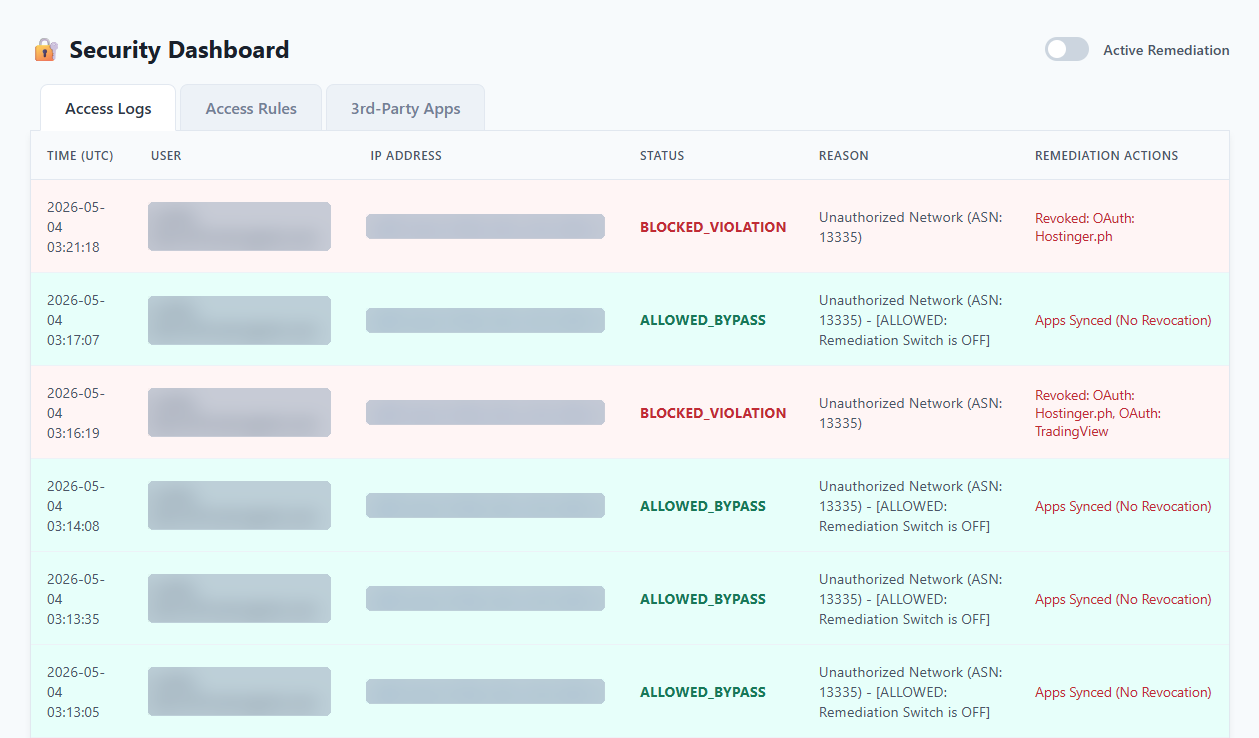
- Record. Every decision goes to an action history table. Each login also refreshes the inventory of the user's third-party apps.
Design decisions
- Push, not poll. Remediation follows the sign-in event itself. There's no polling interval for an attacker to work in.
- Ingestion stays with the customer. The log sink and Pub/Sub run in each customer's own GCP project, so log volume and API quota scale per tenant instead of piling up on one central account.
- Fail open, on purpose. Nullify sits beside sign-in, not in front of it. If it goes down, people can still work. The trade-off is that it reacts just after a login instead of preventing it.
- Observe before enforcing. A global switch runs everything in log-only mode, so rules can be tuned against real traffic before anyone gets signed out.
- Python on Workers, without Google's client library. The library can't run on Workers, so the Worker signs its own service-account JWT with WebCrypto, exchanges it for an access token, and calls the Admin SDK over plain fetch. Access comes from domain-wide delegation with narrow scopes.
- Honest about admin accounts. Remediating other administrators requires Super Admin rights. Rather than grant that by default, the setup guidance recommends security keys for admin accounts.
The dashboard
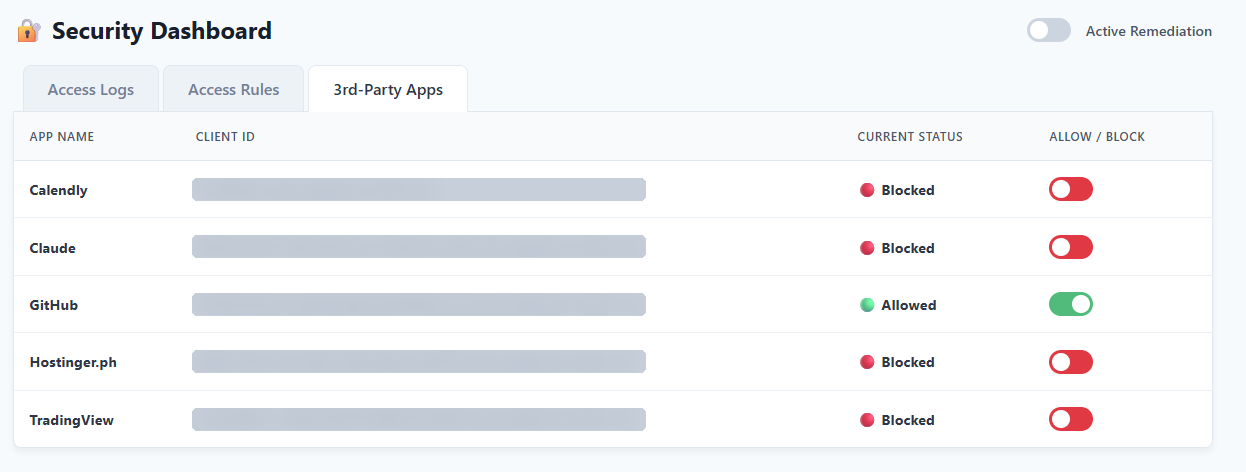
A second Worker on the same D1 database gives admins the controls: a log of every decision, rule management, the third-party app allow-list, and the switch between log-only and enforcement. These screenshots are from testing, with emails, IPs and client IDs masked.
Next steps
- A scalpel, not a hammer. Today a violation triggers a full sign-out and revocation. Next is isolating which part of the account was compromised: if it was a single app, revoke just that app's access and leave the rest of the account working.
- Inspection beyond sign-in. Apply the same rules to every activity event the Pub/Sub pipeline can carry, such as Drive activity from an unapproved IP address or outside approved hours. That catches a hijacked session, where a stolen session ID is used without a new sign-in.
- Zombie defense. An escalating response to repeated attacks on the same account, up to scrambling its password.
- Forced credential update. After a violation, require the user to set new credentials before they can get back in.